Amazon highlights Revenue Calculator to help sellers plan for 2026 fees
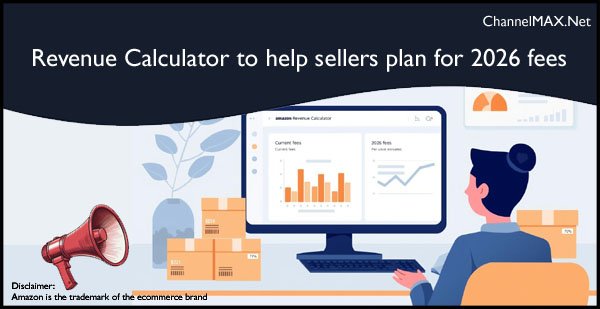
Existing Seller Central tools let sellers compare current and future costs and test new products
Amazon is reminding sellers to make full use of its Revenue Calculator and Inline Revenue Calculator tools on Seller Central to understand how today’s fees and the 2026 fee structure will affect their margins. The announcement on Seller Central, titled “Preview current and future costs with Revenue Calculator”, explains how these existing tools can help sellers compare fulfillment options, stress test profitability, and evaluate new products before they commit inventory.
Revenue Calculator helps forecast revenue and fees
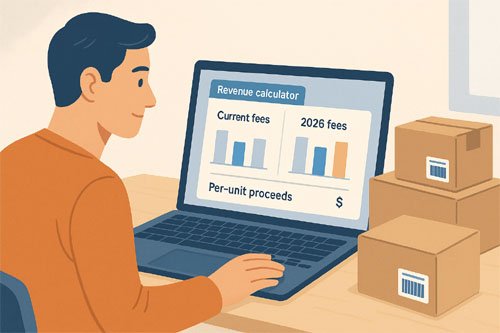
The Revenue Calculator is a preview tool that lets sellers estimate revenue and costs for a product across different fulfillment options. Sellers can enter their own cost inputs, such as product cost, shipping cost and other expenses. The tool then shows net proceeds per unit under each fulfillment choice.
Also Read: Amazon Announces 2026 Fee Changes for Sellers: What You Need to Know
Within a single screen, sellers can
compare fees and expected revenue between fulfillment by Amazon and self fulfillment
see how different sales volumes affect total proceeds
understand per unit sold estimates for each option
Because sellers can input their own costs, the estimates are more realistic than generic fee tables. This helps both new and experienced sellers decide which fulfillment model is better for their business and for each individual product.
Compare current rates with 2026 rates
A key focus of the latest Seller Central update is the ability to compare current fee rates with the 2026 rate structure inside the Revenue Calculator. Sellers can preview how changes in fulfillment fees and related charges may affect their per unit proceeds and total profit.
By switching between current and 2026 views, sellers can
i) see which products will remain profitable under the new structure
ii) Identify listings where margins might shrink
iii) Adjust prices, packaging or fulfillment choices in advance
This side by side comparison is especially useful for products with tight margins, heavy or bulky items, and offers where shipping and storage costs form a large part of the total expense. Planning early can reduce surprises when the new rates take effect.
Inline Revenue Calculator inside inventory dashboards
Beyond the main Revenue Calculator page, Amazon is also pointing sellers to the Inline Revenue Calculator that lives inside the Manage All Inventory and Fulfillment by Amazon Inventory dashboards.
From these pages, sellers can click the “estimated fee per unit” link next to a listing to open a dropdown view. This inline panel shows per unit estimates for
i) Fulfillment fees
ii) Removal fees
iii) Inbound placement costs
Sellers can also preview 2026 rates alongside current rates from the same dropdown. This means they do not have to leave the inventory page or open a separate tab to understand how their fees may change. It turns the live inventory view into a quick planning and what if workspace for each SKU.
Explore catalog items you do not yet sell
The Revenue Calculator is not only for existing listings. Amazon’s update on Seller Central notes that sellers can load almost any catalog item into the tool, even if they do not currently sell that product.
This allows sellers to
test new product ideas before placing purchase orders
compare the economics of similar items in a category
check whether a planned price point will cover fees and costs under both current and 2026 rates
For example, a seller thinking of adding a new kitchen gadget or phone accessory can look up the ASIN, plug in their expected landed cost, and see whether the item can realistically deliver a target margin. This reduces the risk of sending unprofitable inventory to the warehouse.
Use Profit Analytics for a deeper profitability view
The Seller Central announcement also directs sellers to Profit Analytics for a broader view of business performance. While the Revenue Calculator focuses on per unit and per product estimates, Profit Analytics brings together
i) Sales data
ii) Advertising spend
iii) Refunds and returns
iv) Fees and other costs across the catalog
By combining Revenue Calculator simulations with historical insights from Profit Analytics, sellers can refine their pricing, advertising and selection decisions. For instance, a seller can look at a product with high return rates in Profit Analytics, then use the Revenue Calculator to see whether a change in price, packaging or fulfillment type could improve overall profit.
Why this matters for shoppers
Although the tools are designed for sellers, they also have an indirect benefit for shoppers. When sellers understand their costs more clearly, they can make more stable and sustainable pricing decisions. Products that remain on the marketplace are more likely to be those that are truly viable, with fewer sudden stockouts or heavy price swings driven by miscalculated fees.
Better fee planning can also encourage sellers to invest in higher quality content, stronger packaging and faster shipping options, since they can see how these choices affect their net proceeds. Over time, this can lead to better offers and a smoother experience for buyers.
Amazon’s latest reminder on Seller Central does not introduce an entirely new tool, but it underlines how important the Revenue Calculator and Inline Revenue Calculator have become as sellers prepare for the 2026 fee structure. By using these tools to compare current and future rates, check per unit estimates inside inventory dashboards, and evaluate new catalog opportunities, sellers can make more confident decisions about pricing, selection and fulfillment.
When paired with Profit Analytics, the Revenue Calculator can serve as a practical control panel for long term profitability planning. For Amazon sellers, this is a good time to revisit these existing tools, run fresh scenarios across key products, and ensure their catalog is ready for the cost environment that lies ahead.
Also Read: Learn holiday selling strategies from Amazon sellers
Disclaimer:
Amazon is the registered trademark of the e-commerce brand.
About ChannelMAX.NET:
ChannelMAX offers Amazon Repricer that runs on the latest AI Repricing agents to do Amazon Pricing Management or Amazon Repricing. Based on Amazon SP API, the repricing engine or repricer runs 24/7 and efficiently manages Amazon prices to maximize your BuyBox with profit optimization. Established in 2005, ChannelMAX has been integrated with Amazon technology since 2007, helping thousands of third-party sellers on various eCommerce platforms. Some of the eCommerce platforms, aka marketplaces, supported by ChannelMAX.NET, are Amazon, Walmart, eBay, and Shopify. Some of ChannelMAX key offerings include ChannelMAX Amazon Repricer, 2ndly, ChannelMAX Amazon FBA Audits and FBA Refunds management, an offering for managing Amazon FBA Refunds Reimbursement management for lost or damaged or misplaced inventory for which Amazon is responsible and for which sellers deserve appropriate credit reimbursement from Amazon. ChannelMAX Services offer Remote (aka Virtual) Full-Time eCommerce Assistant to help 3P sellers run their daytoday business.

Check ChannelMAX at Amazon Selling Partner Appstore an application with a 5 star rating.
By ChannelMAX Staff Writer
Nov-2025#24
Amazon is reminding sellers to make full use of its Revenue Calculator and Inline Revenue Calculator tools on Seller Central to understand how today’s fees and the 2026 fee structure will affect their margins. The announcement on Seller Central, titled “Preview current and future costs with Revenue Calculator”, explains how these existing tools can help sellers compare fulfillment options, stress test profitability, and evaluate new products before they commit inventory.
Revenue Calculator helps forecast revenue and fees
The Revenue Calculator is a preview tool that lets sellers estimate revenue and costs for a product across different fulfillment options. Sellers can enter their own cost inputs, such as product cost, shipping cost and other expenses. The tool then shows net proceeds per unit under each fulfillment choice.
Also Read: Amazon Announces 2026 Fee Changes for Sellers: What You Need to Know
Within a single screen, sellers can
compare fees and expected revenue between fulfillment by Amazon and self fulfillment
see how different sales volumes affect total proceeds
understand per unit sold estimates for each option
Because sellers can input their own costs, the estimates are more realistic than generic fee tables. This helps both new and experienced sellers decide which fulfillment model is better for their business and for each individual product.
Compare current rates with 2026 rates
A key focus of the latest Seller Central update is the ability to compare current fee rates with the 2026 rate structure inside the Revenue Calculator. Sellers can preview how changes in fulfillment fees and related charges may affect their per unit proceeds and total profit.
By switching between current and 2026 views, sellers can
i) see which products will remain profitable under the new structure
ii) Identify listings where margins might shrink
iii) Adjust prices, packaging or fulfillment choices in advance
This side by side comparison is especially useful for products with tight margins, heavy or bulky items, and offers where shipping and storage costs form a large part of the total expense. Planning early can reduce surprises when the new rates take effect.
Inline Revenue Calculator inside inventory dashboards
Beyond the main Revenue Calculator page, Amazon is also pointing sellers to the Inline Revenue Calculator that lives inside the Manage All Inventory and Fulfillment by Amazon Inventory dashboards.
From these pages, sellers can click the “estimated fee per unit” link next to a listing to open a dropdown view. This inline panel shows per unit estimates for
i) Fulfillment fees
ii) Removal fees
iii) Inbound placement costs
Sellers can also preview 2026 rates alongside current rates from the same dropdown. This means they do not have to leave the inventory page or open a separate tab to understand how their fees may change. It turns the live inventory view into a quick planning and what if workspace for each SKU.
Explore catalog items you do not yet sell
The Revenue Calculator is not only for existing listings. Amazon’s update on Seller Central notes that sellers can load almost any catalog item into the tool, even if they do not currently sell that product.
This allows sellers to
test new product ideas before placing purchase orders
compare the economics of similar items in a category
check whether a planned price point will cover fees and costs under both current and 2026 rates
For example, a seller thinking of adding a new kitchen gadget or phone accessory can look up the ASIN, plug in their expected landed cost, and see whether the item can realistically deliver a target margin. This reduces the risk of sending unprofitable inventory to the warehouse.
Use Profit Analytics for a deeper profitability view
The Seller Central announcement also directs sellers to Profit Analytics for a broader view of business performance. While the Revenue Calculator focuses on per unit and per product estimates, Profit Analytics brings together
i) Sales data
ii) Advertising spend
iii) Refunds and returns
iv) Fees and other costs across the catalog
By combining Revenue Calculator simulations with historical insights from Profit Analytics, sellers can refine their pricing, advertising and selection decisions. For instance, a seller can look at a product with high return rates in Profit Analytics, then use the Revenue Calculator to see whether a change in price, packaging or fulfillment type could improve overall profit.
Why this matters for shoppers
Although the tools are designed for sellers, they also have an indirect benefit for shoppers. When sellers understand their costs more clearly, they can make more stable and sustainable pricing decisions. Products that remain on the marketplace are more likely to be those that are truly viable, with fewer sudden stockouts or heavy price swings driven by miscalculated fees.
Better fee planning can also encourage sellers to invest in higher quality content, stronger packaging and faster shipping options, since they can see how these choices affect their net proceeds. Over time, this can lead to better offers and a smoother experience for buyers.
Amazon’s latest reminder on Seller Central does not introduce an entirely new tool, but it underlines how important the Revenue Calculator and Inline Revenue Calculator have become as sellers prepare for the 2026 fee structure. By using these tools to compare current and future rates, check per unit estimates inside inventory dashboards, and evaluate new catalog opportunities, sellers can make more confident decisions about pricing, selection and fulfillment.
When paired with Profit Analytics, the Revenue Calculator can serve as a practical control panel for long term profitability planning. For Amazon sellers, this is a good time to revisit these existing tools, run fresh scenarios across key products, and ensure their catalog is ready for the cost environment that lies ahead.
Also Read: Learn holiday selling strategies from Amazon sellers
Disclaimer:
Amazon is the registered trademark of the e-commerce brand.
About ChannelMAX.NET:
ChannelMAX offers Amazon Repricer that runs on the latest AI Repricing agents to do Amazon Pricing Management or Amazon Repricing. Based on Amazon SP API, the repricing engine or repricer runs 24/7 and efficiently manages Amazon prices to maximize your BuyBox with profit optimization. Established in 2005, ChannelMAX has been integrated with Amazon technology since 2007, helping thousands of third-party sellers on various eCommerce platforms. Some of the eCommerce platforms, aka marketplaces, supported by ChannelMAX.NET, are Amazon, Walmart, eBay, and Shopify. Some of ChannelMAX key offerings include ChannelMAX Amazon Repricer, 2ndly, ChannelMAX Amazon FBA Audits and FBA Refunds management, an offering for managing Amazon FBA Refunds Reimbursement management for lost or damaged or misplaced inventory for which Amazon is responsible and for which sellers deserve appropriate credit reimbursement from Amazon. ChannelMAX Services offer Remote (aka Virtual) Full-Time eCommerce Assistant to help 3P sellers run their daytoday business.
Check ChannelMAX at Amazon Selling Partner Appstore an application with a 5 star rating.