Amazon Click-Through Rate (CTR): What It Is and Why It Matters

Boost Your Product Visibility and Sales by Understanding and Improving Your CTR on Amazon
By ChannelMAX Staff Writer
Apr-2025#28
When people shop on Amazon, your product only has a second to catch their eye. Whether it's in search results or sponsored ads, getting their attention is very important. That’s where your Click-Through Rate (CTR) comes in. CTR shows how often people click on your product after seeing it. A high CTR means your product listing looks interesting and stands out from competitors. It also sends a positive signal to Amazon’s algorithm that your product is good, which can help improve your ranking in search results.
In this article, we’ll explain what CTR means, why it’s important, and how you can improve it to get more clicks and sales on Amazon.
What is Amazon Click-Through Rate (CTR)?
Amazon Click-Through Rate (CTR) is a key performance metric that shows how often people click on your product after seeing it in search results, ads, or other places. It tells you how many clicks your product gets compared to how many times it was shown (called impressions).
To find CTR, divide the number of clicks by the number of impressions, then multiply by 100 to get a percentage.
CTR Formula:
CTR (%) = (Total Clicks / Total Impressions) × 100
Example:
If your product appears 1,000 times in search results and gets 50 clicks, your CTR is 5%.
A high CTR means people find your product interesting and want to learn more. It usually helps your product rank better on Amazon, leading to more sales and a higher ranking on Amazon’s search engine.
Why Is CTR Important on Amazon?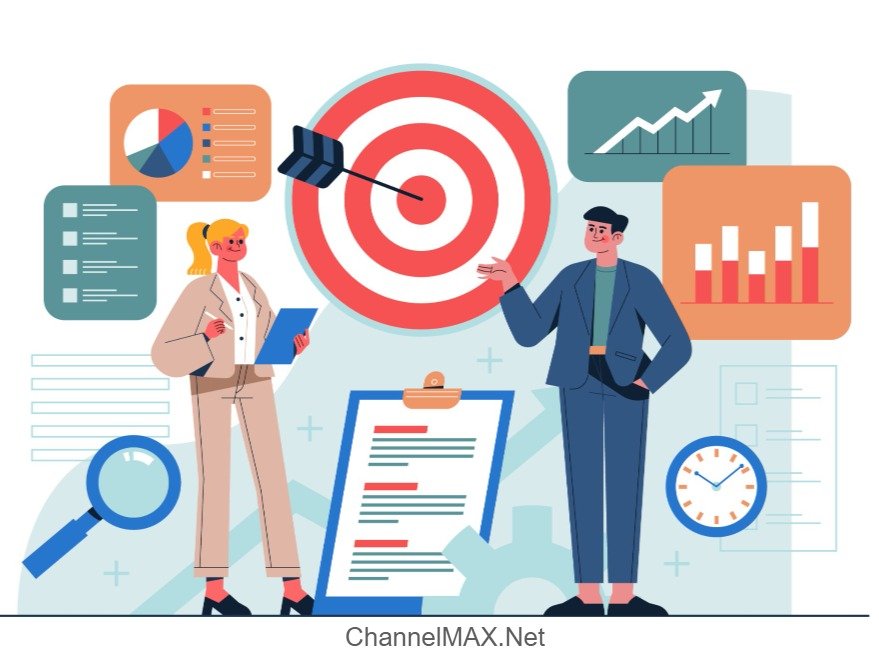
Click-through rate (CTR) is an important metric on Amazon because it shows how many people click on your product after seeing it in search results or ads. A high CTR means your product listing grabs attention, and more people click on your listing when they see it, which is the first big step to making a sale. If people don’t click, they won’t buy.
CTR also tells Amazon how useful your product is for shoppers. If more people click on it, Amazon thinks your product is a good match for what people are looking for. Amazon's A9 algorithm favors listings with higher engagement rates. This can help your product rank higher in search results and lower your ad costs. This leads to increased visibility, which means more people will see your product, and you can get more sales. But if your CTR is low, fewer people will see your listing, and it will be harder to compete. So, it’s very important to improve your CTR for both search and ads.
What Is a Good Click-Through Rate (CTR) on Amazon?
A “good” CTR on Amazon can vary depending on your product type, competition, and how well-optimized your listings are. Here’s a general idea:
1. Average CTR: 0.3% to 0.5%
2. Good CTR: 0.5% to 1%
3. Excellent CTR: Above 1%
For sponsored ads, a CTR between 0.4% and 0.7% is considered normal. Some high-performing listings can go over 1%, especially in a less competitive niche or with highly optimized content. For organic (free) search results, higher CTR usually means your product title, image, price, and reviews are doing a good job together in attracting clicks.
Monitoring and improving your CTR helps bring more people to your product and also makes your product more visible in Amazon search results. That’s because Amazon’s system (called the A9 algorithm) prefers listings that shoppers like and click on.
Factors That Influence Your Amazon CTR
1. Product Title
The product title is the first thing customers see. A good title helps them understand what you’re selling and heavily influences their decision to click. A title should include your brand name, high-ranking keywords, key features, and specifications to help your product appear in relevant search results. It should be clear, concise, informative, and not too long.
2. Main Product Image
The main image is what grabs attention in a crowded search results page. Amazon requires images to have a white background and clearly show the product. But to stand out, use high-quality images that are bright and sharp. If possible, show the product from different angles or in use (in other images). A great image increases the chances of a buyer clicking on your listing.
3. Star Ratings & Review Count
Customer reviews and ratings are one of the most trusted sources of information for online buyers. If a product has a high star rating (preferably 4 stars and above) and lots of positive reviews, people will trust it more. On the other hand, low ratings or too few reviews can turn customers away. Try to get more positive reviews and respond to negative feedback promptly to maintain a strong reputation.
4. Price Competitiveness
Buyers are always comparing prices, especially on Amazon, where multiple similar options appear side-by-side. If your product is priced too high compared to others, they might skip your product. This will also affect your CTR. Offer competitive pricing strategies, discounts, coupons, and lightning deals to help attract clicks. Tools like ChannelMAX can automate price adjustments based on competitor activity to help keep your listings attractive.
5. Amazon Badges (e.g., Amazon’s Choice, Best Seller)
Amazon badges like "Amazon’s Choice" or "Best Seller" make your product seem more reliable. These badges are awarded based on performance metrics such as sales volume, customer satisfaction, and conversion rate. Products with these badges stand out more in search results and usually get more clicks because shoppers trust Amazon’s approval.
How to Improve Your Amazon Click-Through Rate (CTR)?
1. Optimize Your Product Title
Your product title is the first thing shoppers see, so it should be informative and compelling. It should clearly say what your product is, include the main keyword, and highlight a key benefit. Don’t add too many keywords, as it can be confusing for buyers to read. Overstuffing the title with keywords can violate Amazon’s guidelines.
For example, instead of writing “Bottle Shampoo Hair Moisture Best,” a better title would be: “Organic Shampoo for Dry Hair – Moisturizing & Sulfate-Free”
This title has the relevant keywords and tells about the product and its benefits in a simple and professional format.
2. Use High-Quality Images
Good photos make a big difference in whether a customer clicks on your product. Clear, bright photos make your product look trustworthy, while a blurry or dark photo can turn buyers away. The main image should have a white background and no text, and the other images should show the product from different angles and how it’s used. You can also include images with text to highlight key features or benefits.
Tip: Add at least 6 images, including one lifestyle photo, to help customers imagine using your product.
3. Collect More Positive Reviews
Customers often check reviews before buying. Products with higher ratings and more reviews usually get more clicks. To get more good reviews:
a. Use Amazon’s “Request a Review” feature after delivery.
b. Provide outstanding customer service to avoid negative feedback.
c. Enroll in programs like Amazon Vine (if eligible) to get early reviews from trusted reviewers.
Reviews act as social proof that your product is good and can help improve both CTR and conversion rates.
Also Read: How to Join the Amazon Vine Program?
4. Price Strategically
Even if customers are interested in your product, a high price might stop them from clicking. Regularly check how your price compares with top-ranking competitors and use automated repricing tools like ChannelMAX to adjust your price. Try using psychological pricing strategies like $19.99 instead of $20, or offer limited-time discounts or coupons to create urgency.
Tip: Make sure your pricing aligns with the perceived value of the product shown in your title and images.
5. Earn Amazon Badges
Badges like “Amazon’s Choice” or “Best Seller” boost credibility and visibility in search results, increasing the chance of clicks. To earn these badges, focus on:
a. High sales velocity
b. Consistent positive reviews
c. Fast shipping and low return rates
d. Competitive pricing
Running Amazon PPC campaigns and maintaining good seller performance metrics can also improve your chances of earning these badges.
6. Run Targeted Advertising Campaigns
Amazon ads can help show your product to more people. Sponsored Products, Brands, and Display ads place your listing directly in front of customers who are looking for similar items. Make sure to target the right keywords to reach your audience, and adjust your ad campaigns based on performance metrics like CTR and ACoS (Advertising Cost of Sales).
Also Read: Amazon Advertising Campaign: A Complete Guide to Maximizing Sales
7. Leverage A/B Testing
Amazon Experiments (Manage Your Experiments) allows Brand Registered sellers to test different versions of product titles, images, and A+ Content. By comparing the two variations, you can see which elements get more clicks and then make data-backed decisions. For example, a lifestyle photo might work better than a plain product image, or one title might get more attention than another. Regularly testing your listing can help refine your listing and gradually improve CTR over time.
Tracking CTR on Amazon 
Understanding and monitoring your Click-Through Rate (CTR) is essential for optimizing your product listings and advertising campaigns. A high CTR means your listing is appealing and relevant to shoppers, while a low CTR means you may need to improve your listing or ads. Here's how you can track and analyze CTR on Amazon:
1. Amazon Seller Central Performance Reports
Go to Seller Central → Reports → Business Reports → Detail Page Sales and Traffic.
This report provides CTR data in the form of:
a. Sessions – Total visits to your product page.
b. Page Views – Number of times your page was viewed (including repeat views).
c. Buy Box Percentage
d. Unit Session Percentage – Your conversion rate
Although Amazon doesn't directly show CTR in this report, you can calculate an approximate CTR by dividing the number of sessions by the number of impressions (available in advertising reports).
2. Amazon Advertising Console
If you run ads (Sponsored Product, Brand, or Display), the Advertising Console provides CTR metrics directly. Go to:
Advertising → Campaign Manager → Campaign/Ad Group Level
You'll see:
a. Impressions – Times your ad was shown
b. Clicks – Number of times people clicked on your ad
c. CTR (%) – (Clicks ÷ Impressions) × 100
This data helps identify which keywords or ads are performing best in attracting attention.
3. Amazon Brand Analytics (For Brand Registered Sellers)
If your brand is registered, you can get access to Amazon Brand Analytics. Use this to track:
a. Click Share – Percentage of total clicks your product gets for a specific keyword
b. Conversion Share
c. Search Term Performance
Click share data is useful for comparing your performance to competitors and improving your SEO or ad strategies accordingly.
4. Third-Party Tools
You can use a third-party tool to track keyword rankings and estimate CTR for organic and paid listings. These tools provide visual dashboards and historical trends to help you identify patterns and see what’s working over time.
5. A/B Testing Insights
If you're running A/B tests using Manage Your Experiments, the results dashboard will provide performance metrics like views and CTR for each version of your title, image, or A+ Content. These data help you determine what drives more clicks and engagement, you improve your listings based on real data.
Common Mistakes to Avoid
Here are 5 common mistakes to avoid when trying to improve your Amazon Click-Through Rate (CTR):
1. Using Generic or Keyword-Stuffed Titles
Adding too many keywords in your product title might help you appear in searches, but it can confuse and turn away potential buyers. Make sure your title is clear, compelling, and easy to read.
Try to include relevant keywords, but make the title sound natural and interesting so people want to click. For example, instead of:
"Water Bottle BPA-Free Leakproof Travel Outdoor Sport Gym Hiking Running 1L Blue",
Try: "1L BPA-Free Water Bottle – Leakproof for Travel, Gym & Outdoors"
This makes the title more readable and appealing to shoppers.
2. Poor-Quality or Unappealing Images
If your images are low-quality, cluttered, or poorly lit, they can make your product look untrustworthy or unprofessional. People may skip your listing, which can reduce your CTR. The main image is the first thing shoppers notice, so it should be clear, high-quality, and zoomable.
Also, ensure it follows Amazon’s guidelines while showing your product professionally and attractively. A good image can instantly make your product look more valuable and trustworthy, which increases the chance of getting clicks.
3. Failing to Optimize for Mobile Users
Many Amazon shoppers use mobile devices to browse, so it’s important to ensure your product listing works well on mobile screens. If your listing isn’t mobile-friendly, they might have trouble reading your title, description, or seeing your images. This could lead to lower CTR and lost sales.
Check how your listing looks on mobile devices. Make sure titles and bullet points are short and clear. The text should be easy to read, and images should load quickly to give a smooth shopping experience.
4. Not Using Amazon Ads Effectively
Advertising on Amazon can help boost your product visibility and CTR. If you're not leveraging Amazon’s pay-per-click (PPC) ads or Sponsored Products, you're missing out on a valuable chance to get noticed.
Run ads to promote your listings, especially new ones. Ensure you’re targeting the right keywords and optimizing your ad campaigns to reach the right audience. Monitor your ad performance and make changes based on results. Effective ads can boost both traffic and CTR by putting your product in front of the right people.
5. Not Utilizing A+ Content or Enhanced Brand Content
If your brand is registered with Amazon, you can use A+ Content (also called Enhanced Brand Content) to make your product listing look better. This includes things like charts, comparison tables, and extra images.
If you don’t use A+ Content (for brand-registered sellers), your listing might look incomplete compared to your competitors. Use A+ Content to explain your product in more detail, show lifestyle images, answer common questions, and compare it with other products. While A+ Content doesn’t directly increase CTR, it can make your listing look better and influence buyers to click because of better visuals and branding.
Also Read: Mastering Amazon A+ Content: Guidelines for Creating High-Impact Product Listings
Conclusion
Amazon Click-Through Rate (CTR) is more than just a metric, it tells how much attention your product gets in a crowded marketplace. A high CTR increases your chances of converting views into sales, while a low CTR means your product might get ignored, even if it’s good.
By optimizing key elements like product titles, images, pricing, and using data from tools like Amazon Advertising Console and Brand Analytics, you can continuously modify your listings to improve visibility and appeal. Regularly check your product performance, test what works, and use the data to make changes to optimization strategies. In the competitive world of Amazon, having a better CTR can help your product stand out and succeed.
Also Read: How Amazon Repricing Tools Work: A Guide for New Sellers
Disclaimer:
Amazon is the registered trademark of the e-commerce brand.
About ChannelMAX.NET:
ChannelMAX offers Amazon Repricer that runs on the latest AI Repricing agents to do Amazon Pricing Management or Amazon Repricing. Based on Amazon SP API, the repricing engine or repricer runs 24/7 and efficiently manages Amazon prices to maximize your BuyBox with profit optimization. Established in 2005, ChannelMAX has been integrated with Amazon technology since 2007, helping thousands of third-party sellers on various eCommerce platforms. Some of the eCommerce platforms, aka marketplaces, supported by ChannelMAX.NET, are Amazon, Walmart, eBay, and Shopify. Some of ChannelMAX key offerings include ChannelMAX Amazon Repricer, 2ndly, ChannelMAX Amazon FBA Audits and FBA Refunds management, an offering for managing Amazon FBA Refunds Reimbursement management for lost or damaged or misplaced inventory for which Amazon is responsible and for which sellers deserve appropriate credit reimbursement from Amazon. ChannelMAX Services offer Remote (aka Virtual) Full-Time eCommerce Assistant to help 3P sellers run their daytoday business.

Check ChannelMAX at Amazon Selling Partner Appstore, an application with a 5 star rating.