Amazon Launches Smarter Bulk Image Upload Tool for Sellers
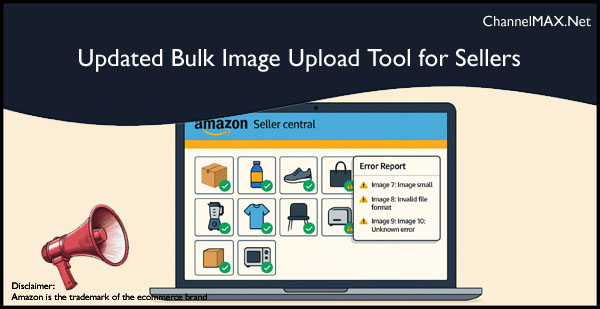
New update on Seller Central streamlines image uploads, cutting down on wasted time and repetitive fixes.
Amazon has announced a major update to its Bulk Image Upload tool on Seller Central, directly addressing the headaches faced by thousands of marketplace sellers. The enhanced feature allows sellers to upload multiple product images in a single step, even if some files in the batch contain errors.
Smoother Bulk Uploads Save Time
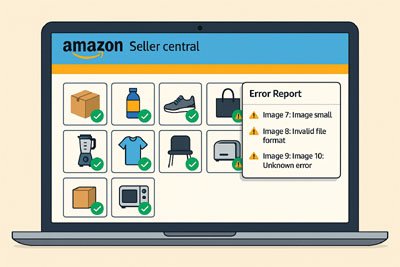
Previously, the Bulk Image Upload tool would halt processing entirely if it encountered an error in the uploaded ZIP file. This forced sellers to correct each mistake individually and re-upload the whole file repeatedly, causing delays and frustration. Now, Amazon’s tool processes all valid images uploaded, while simultaneously generating a detailed error report for files it cannot accept.
Also Read: Amazon Wholesale: The Complete Guide to Selling Wholesale on Amazon
Sellers can now:
• Upload batches of images quickly without repeated interruptions
• Receive a summary of all errors at once
• Fix issues collectively and re-upload only the files that need attention
This streamlined workflow means less downtime fixing upload issues and more time focusing on storefront performance.
How to Access the Updated Tool
To take advantage of these improvements, sellers should:
• Log in to Seller Central
• Go to the ‘Bulk Image Upload’ section
• Follow the prompts to upload zipped image files for product detail pages.
If you need detailed instructions, Amazon recommends consulting the “Upload images” section in the Image Manager help for step-by-step guidance.
Speed, Efficiency, and Global Reach
With these updates, the Bulk Image Upload tool now efficiently supports sellers managing large product catalogs, especially those operating in multiple countries, since images uploaded for products are globally available wherever those items are listed. This is particularly valuable for sellers expanding internationally or launching new products at scale.
Impact for Sellers
Amazon sellers, including small business owners and larger brands, often manage hundreds or thousands of SKUs simultaneously. This update significantly reduces the effort required for listing optimization, helping maintain detail page quality and compliance without technical delays.
Conclusion: A Welcome Change for Seller Productivity
The latest Bulk Image Upload update on Seller Central demonstrates Amazon’s commitment to improving seller tools through practical enhancements. By processing error-free images and simplifying error management, Amazon empowers sellers to list and update products efficiently, ensuring smoother operations and a better experience for both sellers and customers.
Also Read: How Much Does It Cost to Sell on Amazon?
ChannelMAX offers Amazon Repricer that runs on the latest AI Repricing algorithm to do Amazon Pricing Management or Amazon Repricing. Based on Amazon SP API, the repricing engine or repricer runs 24/7 and efficiently manages Amazon prices to maximize your BuyBox with profit optimization. Established in 2005, ChannelMAX has been integrated with Amazon technology since 2007, helping thousands of third-party sellers on various eCommerce platforms. Some of the eCommerce platforms, aka marketplaces, supported by ChannelMAX.NET, are Amazon, Walmart, eBay, and Shopify. Some of ChannelMAX key offerings include ChannelMAX Amazon Repricer, 2ndly, ChannelMAX Amazon FBA Audits and FBA Refunds management, an offering for managing Amazon FBA Refunds Reimbursement management for lost or damaged or misplaced inventory for which Amazon is responsible and for which sellers deserve appropriate credit reimbursement from Amazon. ChannelMAX Services offer Remote (aka Virtual) Full-Time eCommerce Assistant to help 3P sellers run their daytoday business.

Check ChannelMAX at Amazon Selling Partner Appstore, an application with a 5 star rating.
By ChannelMAX Staff Writer
July-2025#15
Amazon has announced a major update to its Bulk Image Upload tool on Seller Central, directly addressing the headaches faced by thousands of marketplace sellers. The enhanced feature allows sellers to upload multiple product images in a single step, even if some files in the batch contain errors.
Smoother Bulk Uploads Save Time
Previously, the Bulk Image Upload tool would halt processing entirely if it encountered an error in the uploaded ZIP file. This forced sellers to correct each mistake individually and re-upload the whole file repeatedly, causing delays and frustration. Now, Amazon’s tool processes all valid images uploaded, while simultaneously generating a detailed error report for files it cannot accept.
Also Read: Amazon Wholesale: The Complete Guide to Selling Wholesale on Amazon
Sellers can now:
• Upload batches of images quickly without repeated interruptions
• Receive a summary of all errors at once
• Fix issues collectively and re-upload only the files that need attention
This streamlined workflow means less downtime fixing upload issues and more time focusing on storefront performance.
How to Access the Updated Tool
To take advantage of these improvements, sellers should:
• Log in to Seller Central
• Go to the ‘Bulk Image Upload’ section
• Follow the prompts to upload zipped image files for product detail pages.
If you need detailed instructions, Amazon recommends consulting the “Upload images” section in the Image Manager help for step-by-step guidance.
Speed, Efficiency, and Global Reach
With these updates, the Bulk Image Upload tool now efficiently supports sellers managing large product catalogs, especially those operating in multiple countries, since images uploaded for products are globally available wherever those items are listed. This is particularly valuable for sellers expanding internationally or launching new products at scale.
Impact for Sellers
Amazon sellers, including small business owners and larger brands, often manage hundreds or thousands of SKUs simultaneously. This update significantly reduces the effort required for listing optimization, helping maintain detail page quality and compliance without technical delays.
Conclusion: A Welcome Change for Seller Productivity
The latest Bulk Image Upload update on Seller Central demonstrates Amazon’s commitment to improving seller tools through practical enhancements. By processing error-free images and simplifying error management, Amazon empowers sellers to list and update products efficiently, ensuring smoother operations and a better experience for both sellers and customers.
Also Read: How Much Does It Cost to Sell on Amazon?
Disclaimer:
Amazon is the registered trademark of the e-commerce brand.
ChannelMAX offers Amazon Repricer that runs on the latest AI Repricing algorithm to do Amazon Pricing Management or Amazon Repricing. Based on Amazon SP API, the repricing engine or repricer runs 24/7 and efficiently manages Amazon prices to maximize your BuyBox with profit optimization. Established in 2005, ChannelMAX has been integrated with Amazon technology since 2007, helping thousands of third-party sellers on various eCommerce platforms. Some of the eCommerce platforms, aka marketplaces, supported by ChannelMAX.NET, are Amazon, Walmart, eBay, and Shopify. Some of ChannelMAX key offerings include ChannelMAX Amazon Repricer, 2ndly, ChannelMAX Amazon FBA Audits and FBA Refunds management, an offering for managing Amazon FBA Refunds Reimbursement management for lost or damaged or misplaced inventory for which Amazon is responsible and for which sellers deserve appropriate credit reimbursement from Amazon. ChannelMAX Services offer Remote (aka Virtual) Full-Time eCommerce Assistant to help 3P sellers run their daytoday business.
Check ChannelMAX at Amazon Selling Partner Appstore, an application with a 5 star rating.