Amazon Unifies Product, Shipment and FBA Inventory Tools in Seller Central
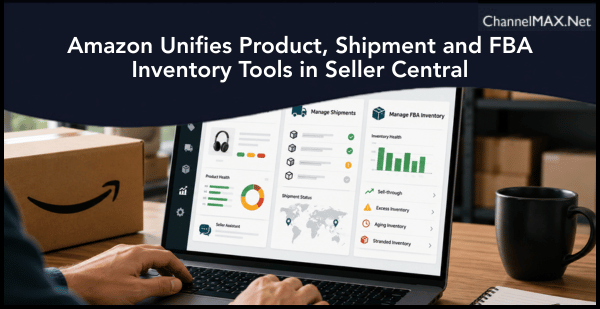
Updated workspaces offer customizable views, consolidated workflows and AI-enabled assistance for everyday seller operations
By ChannelMAX Staff Writer
July-2026#24
Managing listings, shipments and FBA inventory should require fewer page changes under Amazon’s updated Seller Central experience. Three consolidated tools now bring frequently used actions, performance information and operational alerts into more focused workspaces. The announcement, titled “Explore new tools for managing products, shipments, and inventory,” was published on Seller Central. Amazon said sellers’ existing data and workflows remain unchanged. The update reorganizes the tools so sellers can complete common tasks more quickly.
Three consolidated management tools
The updated experience centers on three workspaces:
1. Manage Products
2. Manage Shipments
3. Manage FBA Inventory
Sellers can access each tool from the left-side navigation in the updated Seller Central interface. The structure is intended to reduce the need to move between separate pages while managing related tasks.
Also Read: Amazon Tightens Product Compliance With Direct Third-Party Testing
Manage Products brings listing tasks together
Manage Products provides a consolidated place for handling several catalog and inventory activities. Sellers can use the page to edit listings, review inventory, address suppressed ASINs and monitor product health. A suppressed ASIN is generally a listing that has been removed from search or made unavailable because required information is missing or a listing problem needs attention. Common causes can include incomplete product details, image issues or other catalog requirements.
The consolidated view could help sellers identify affected listings more quickly. This is important because an undiscovered suppression can interrupt sales even when inventory remains available. Sellers should review affected listings carefully before making changes. Product titles, descriptions, images, variations and compliance information should remain accurate and consistent with Amazon’s applicable policies.
Seller Assistant added to Manage Products
One of the most notable additions is direct access to Seller Assistant within Manage Products. Sellers can ask the AI-enabled assistant for insights about their business or request selected actions. Amazon describes Seller Assistant as an AI-powered tool that can provide data-driven insights, recommendations and operational guidance. Its presence inside Manage Products may make it easier to investigate listing or inventory concerns without leaving the active workspace.
Possible questions could focus on products requiring attention, inventory risks or performance patterns. The exact functions and actions available may depend on the seller’s account, permissions, marketplace and the stage of the interface rollout.
Sellers should still review AI-generated recommendations before acting on them. Changes involving prices, inventory, listings, compliance information or product availability can affect sales and account performance. Team members should also be given only the permissions needed for their responsibilities.
Manage Shipments provides a single tracking view
The updated Manage Shipments tool brings shipment tracking and status information into one consolidated view. Sellers can also open shipment details and review discrepancy alerts without moving repeatedly between different pages.
This can help sellers monitor inbound shipments and identify shipments that require action. A discrepancy may arise when the inventory Amazon receives does not match the units or shipment information submitted by the seller.
When reviewing a discrepancy, sellers may need supporting records such as:
1. Supplier invoices
2. Packing lists
3. Carrier documents
4. Proof of delivery
5. Carton contents and shipment plans
6. Product and quantity records
Keeping these documents organized can make it easier to investigate receiving differences or respond if Amazon requests evidence. Shipment status should be reviewed regularly, particularly before major sales events or seasonal demand periods. Delayed or incomplete inbound shipments can contribute to stock shortages and lost sales.
Manage FBA Inventory focuses on inventory health
Manage FBA Inventory gives sellers a central location to review inventory health and manage FBA stock levels. Inventory management involves more than checking the number of available units. Sellers may also need to monitor sell-through, excess stock, aging inventory, stranded units and the risk of running out of popular products.
Amazon’s official inventory guidance describes the FBA sell-through rate as a measure of how effectively sellers balance stock and sales. The metric is updated daily in Seller Central. A consolidated inventory view can help sellers make better replenishment decisions. It may also help them identify slow-moving products before storage costs increase or stock becomes difficult to sell.
Custom views can reduce unnecessary data
The new tools allow sellers to customize the information displayed on a page. Users can choose which data points to show or hide and then save the resulting view. This can be useful for sellers managing large catalogs or assigning different responsibilities to team members. For example, an inventory manager may prioritize available quantities and stock alerts, while a catalog specialist may focus on suppressed ASINs and listing health.
Sellers can consider creating separate saved views for:
1. Listings that require immediate action
2. Products at risk of going out of stock
3. Suppressed or inactive ASINs
4. Inbound shipments with discrepancies
5. Excess or aging FBA inventory
6. High-volume products requiring frequent monitoring
A focused view can reduce screen clutter and make urgent problems easier to identify.
How sellers can use the updated tools
Sellers should first open the updated Seller Central and locate the three tools in the left navigation. They can then customize each page according to their daily operational needs. A practical routine could include checking Manage Products for listing problems, reviewing Manage Shipments for inbound delays or discrepancies, and using Manage FBA Inventory to identify replenishment and excess-stock risks.
Businesses with multiple employees should also document which saved views and checks are required for each role. This can create a more consistent workflow and reduce the risk of an important alert being overlooked.
Existing workflows remain unchanged
Amazon emphasized that sellers’ existing data and workflows are not being replaced by the update. The new interface brings related functions and information together. However, sellers may need time to become familiar with the revised navigation. Tool availability or page appearance may also differ between accounts while the updated experience is being deployed.
If a tool is not visible, sellers should confirm that they are using the updated Seller Central interface and that their user account has the required permissions. They can also consult Seller Central support or help resources for account-specific assistance.
A more focused operating experience
The consolidated workspaces could save time for sellers who previously moved between multiple pages to manage listings, inbound shipments and FBA inventory. Custom views may help teams focus on relevant information, while Seller Assistant can provide another way to investigate business performance and operational concerns.
The greatest benefit will come from using the tools as part of a regular management routine. Sellers should customize their views, monitor alerts frequently and verify important recommendations before making changes. Used carefully, the updated tools can help businesses respond faster to listing problems, shipment discrepancies and inventory risks.
More information about the redesigned interface and its AI-powered assistance is available through the official Amazon Seller Central overview.
Also Read: Amazon Highlights Three Shopping Trends Sellers Can Use to Compete in 2026
Disclaimer:
Amazon is the registered trademark of the company.
About ChannelMAX.NET:
ChannelMAX offers Amazon Repricer that runs on the latest AI Repricing algorithm to do Amazon Pricing Management or Amazon Repricing. Based on Amazon SP API, the repricing engine or repricer runs 24/7 and efficiently manages Amazon prices to maximize your BuyBox with profit optimization. Established in 2005, ChannelMAX has been integrated with Amazon technology since 2007, helping thousands of third-party sellers on various eCommerce platforms. Some of the eCommerce platforms, aka marketplaces, supported by ChannelMAX.NET, are Amazon, Walmart, eBay, and Shopify. Some of ChannelMAX key offerings include ChannelMAX Amazon Repricer, 2ndly, ChannelMAX Amazon FBA Audits and FBA Refunds management, an offering for managing Amazon FBA Refunds Reimbursement management for lost or damaged or misplaced inventory for which Amazon is responsible and for which sellers deserve appropriate credit reimbursement from Amazon. ChannelMAX Services offer Remote (aka Virtual) Full-Time eCommerce Assistant to help 3P sellers run their daytoday business.

Check ChannelMAX at Amazon Selling Partner Appstore, an application with a 5 star rating.
By ChannelMAX Staff Writer
July-2026#24
Managing listings, shipments and FBA inventory should require fewer page changes under Amazon’s updated Seller Central experience. Three consolidated tools now bring frequently used actions, performance information and operational alerts into more focused workspaces. The announcement, titled “Explore new tools for managing products, shipments, and inventory,” was published on Seller Central. Amazon said sellers’ existing data and workflows remain unchanged. The update reorganizes the tools so sellers can complete common tasks more quickly.
Three consolidated management tools
The updated experience centers on three workspaces:
1. Manage Products
2. Manage Shipments
3. Manage FBA Inventory
Sellers can access each tool from the left-side navigation in the updated Seller Central interface. The structure is intended to reduce the need to move between separate pages while managing related tasks.
Also Read: Amazon Tightens Product Compliance With Direct Third-Party Testing
Manage Products brings listing tasks together
Manage Products provides a consolidated place for handling several catalog and inventory activities. Sellers can use the page to edit listings, review inventory, address suppressed ASINs and monitor product health. A suppressed ASIN is generally a listing that has been removed from search or made unavailable because required information is missing or a listing problem needs attention. Common causes can include incomplete product details, image issues or other catalog requirements.
The consolidated view could help sellers identify affected listings more quickly. This is important because an undiscovered suppression can interrupt sales even when inventory remains available. Sellers should review affected listings carefully before making changes. Product titles, descriptions, images, variations and compliance information should remain accurate and consistent with Amazon’s applicable policies.
Seller Assistant added to Manage Products
One of the most notable additions is direct access to Seller Assistant within Manage Products. Sellers can ask the AI-enabled assistant for insights about their business or request selected actions. Amazon describes Seller Assistant as an AI-powered tool that can provide data-driven insights, recommendations and operational guidance. Its presence inside Manage Products may make it easier to investigate listing or inventory concerns without leaving the active workspace.
Possible questions could focus on products requiring attention, inventory risks or performance patterns. The exact functions and actions available may depend on the seller’s account, permissions, marketplace and the stage of the interface rollout.
Sellers should still review AI-generated recommendations before acting on them. Changes involving prices, inventory, listings, compliance information or product availability can affect sales and account performance. Team members should also be given only the permissions needed for their responsibilities.
Manage Shipments provides a single tracking view
The updated Manage Shipments tool brings shipment tracking and status information into one consolidated view. Sellers can also open shipment details and review discrepancy alerts without moving repeatedly between different pages.
This can help sellers monitor inbound shipments and identify shipments that require action. A discrepancy may arise when the inventory Amazon receives does not match the units or shipment information submitted by the seller.
When reviewing a discrepancy, sellers may need supporting records such as:
1. Supplier invoices
2. Packing lists
3. Carrier documents
4. Proof of delivery
5. Carton contents and shipment plans
6. Product and quantity records
Keeping these documents organized can make it easier to investigate receiving differences or respond if Amazon requests evidence. Shipment status should be reviewed regularly, particularly before major sales events or seasonal demand periods. Delayed or incomplete inbound shipments can contribute to stock shortages and lost sales.
Manage FBA Inventory focuses on inventory health
Manage FBA Inventory gives sellers a central location to review inventory health and manage FBA stock levels. Inventory management involves more than checking the number of available units. Sellers may also need to monitor sell-through, excess stock, aging inventory, stranded units and the risk of running out of popular products.
Amazon’s official inventory guidance describes the FBA sell-through rate as a measure of how effectively sellers balance stock and sales. The metric is updated daily in Seller Central. A consolidated inventory view can help sellers make better replenishment decisions. It may also help them identify slow-moving products before storage costs increase or stock becomes difficult to sell.
Custom views can reduce unnecessary data
The new tools allow sellers to customize the information displayed on a page. Users can choose which data points to show or hide and then save the resulting view. This can be useful for sellers managing large catalogs or assigning different responsibilities to team members. For example, an inventory manager may prioritize available quantities and stock alerts, while a catalog specialist may focus on suppressed ASINs and listing health.
Sellers can consider creating separate saved views for:
1. Listings that require immediate action
2. Products at risk of going out of stock
3. Suppressed or inactive ASINs
4. Inbound shipments with discrepancies
5. Excess or aging FBA inventory
6. High-volume products requiring frequent monitoring
A focused view can reduce screen clutter and make urgent problems easier to identify.
How sellers can use the updated tools
Sellers should first open the updated Seller Central and locate the three tools in the left navigation. They can then customize each page according to their daily operational needs. A practical routine could include checking Manage Products for listing problems, reviewing Manage Shipments for inbound delays or discrepancies, and using Manage FBA Inventory to identify replenishment and excess-stock risks.
Businesses with multiple employees should also document which saved views and checks are required for each role. This can create a more consistent workflow and reduce the risk of an important alert being overlooked.
Existing workflows remain unchanged
Amazon emphasized that sellers’ existing data and workflows are not being replaced by the update. The new interface brings related functions and information together. However, sellers may need time to become familiar with the revised navigation. Tool availability or page appearance may also differ between accounts while the updated experience is being deployed.
If a tool is not visible, sellers should confirm that they are using the updated Seller Central interface and that their user account has the required permissions. They can also consult Seller Central support or help resources for account-specific assistance.
A more focused operating experience
The consolidated workspaces could save time for sellers who previously moved between multiple pages to manage listings, inbound shipments and FBA inventory. Custom views may help teams focus on relevant information, while Seller Assistant can provide another way to investigate business performance and operational concerns.
The greatest benefit will come from using the tools as part of a regular management routine. Sellers should customize their views, monitor alerts frequently and verify important recommendations before making changes. Used carefully, the updated tools can help businesses respond faster to listing problems, shipment discrepancies and inventory risks.
More information about the redesigned interface and its AI-powered assistance is available through the official Amazon Seller Central overview.
Also Read: Amazon Highlights Three Shopping Trends Sellers Can Use to Compete in 2026
Disclaimer:
Amazon is the registered trademark of the company.
About ChannelMAX.NET:
ChannelMAX offers Amazon Repricer that runs on the latest AI Repricing algorithm to do Amazon Pricing Management or Amazon Repricing. Based on Amazon SP API, the repricing engine or repricer runs 24/7 and efficiently manages Amazon prices to maximize your BuyBox with profit optimization. Established in 2005, ChannelMAX has been integrated with Amazon technology since 2007, helping thousands of third-party sellers on various eCommerce platforms. Some of the eCommerce platforms, aka marketplaces, supported by ChannelMAX.NET, are Amazon, Walmart, eBay, and Shopify. Some of ChannelMAX key offerings include ChannelMAX Amazon Repricer, 2ndly, ChannelMAX Amazon FBA Audits and FBA Refunds management, an offering for managing Amazon FBA Refunds Reimbursement management for lost or damaged or misplaced inventory for which Amazon is responsible and for which sellers deserve appropriate credit reimbursement from Amazon. ChannelMAX Services offer Remote (aka Virtual) Full-Time eCommerce Assistant to help 3P sellers run their daytoday business.
Check ChannelMAX at Amazon Selling Partner Appstore, an application with a 5 star rating.