Amazon A/B Testing: How to Test, Optimize & Win More Conversions
A step-by-step guide to experimenting with product listings and improving performance on Amazon
By ChannelMAX Staff Writer
Dec-2025#05
Selling on Amazon is highly competitive, and even small changes to your product listing can affect your visibility, conversions, and revenue. A/B testing—also known as split testing—lets you compare two versions of your listing to find out which one performs better based on actual shopper behavior. The best part is that Amazon offers built-in tools to run these tests, so that you can make decisions based on real data rather than guesswork.
A/B testing helps you understand what your customers actually prefer—whether it’s a different product title, a new main image, or a rewritten description. By testing one change at a time, you can see what increases clicks, boosts conversions, and improves your overall ranking. When done regularly, A/B testing becomes one of the easiest ways to grow your sales and make your listings stronger over time.
This guide explains what Amazon A/B testing is, how it works, what to test, how A/B testing helps, how to run A/B testing, and best practices.
What Is A/B Testing on Amazon?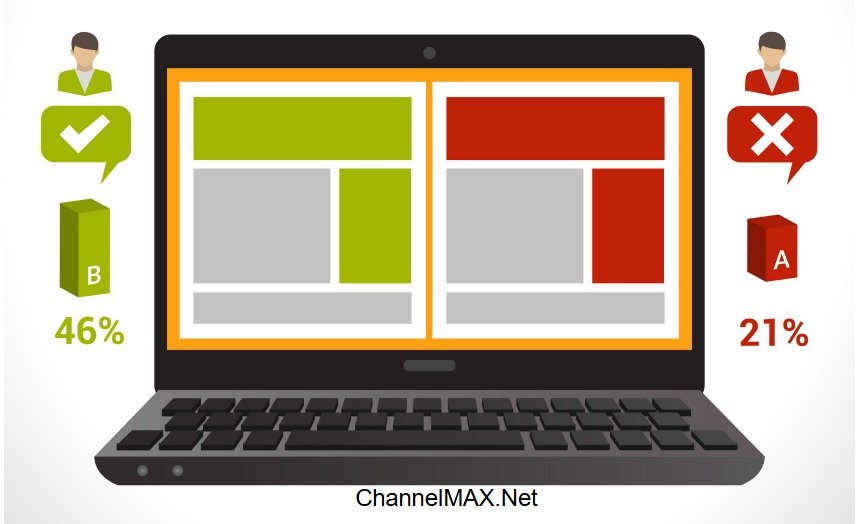
A/B testing on Amazon is a simple method where you compare two versions of a product listing to see which one performs better. These versions can include different images, titles, bullet points, product descriptions, or A+ Content. The goal is to understand which version helps you get more clicks, more conversions, and better overall sales.
When you run an A/B test, Amazon divides your listing traffic into two groups. One group sees Version A, and the other group sees Version B. Amazon then measures how shoppers behave—such as how many people click, how many people buy, and how long they stay on your listing. Based on these real shopper actions, Amazon tells you which version performs better.
A/B testing helps you answer important questions like:
a. Does a lifestyle image perform better than a studio image?
b. Does a shorter title convert better than a detailed one?
c. Does adding a comparison chart in A+ Content increase sales?
You can run these experiments using:
1. Manage Your Experiments (MYE):
This tool is available for Brand Registered sellers. It allows you to test A+ Content, titles, main images, bullet points, and product descriptions directly inside Seller Central. MYE also gives clear reports that show which version wins and why.
2. Amazon Experiments for A+ Content, Main Images, Titles, Bullets, and Descriptions:
Amazon is expanding A/B testing options, allowing sellers to test more elements of their product listings. These experiments give deeper insights into what shoppers prefer and how your listing performs with different creative choices.
3. A/B Testing for Amazon Storefronts and Sponsored Ads:
While these are not direct A/B tests of listing, this helps you improve performance indirectly. Amazon allows you to test different storefront versions and ad creatives. This helps you understand which layout or ad message brings more traffic and conversions.
Overall, Amazon A/B testing gives you clear, data-backed results so you can improve your listings, attract more customers, and grow your sales with confidence.
How does the Amazon A/B Testing Process Work?
Amazon A/B testing works by showing two different versions of a specific part of your product listing to different groups of shoppers and then measuring which one performs better. The process is simple, but the insights you gain are powerful because they are based on actual customer behavior—not assumptions.
Here’s how it works step by step:
1. You Choose What to Test:
You start by selecting one listing element you want to improve. This could be:
a. Product title
b. Main image
c. Additional images
d. Bullet points
e. Product description
f. A+ Content
Testing one element at a time is important because it helps you clearly understand what caused the change in performance.
2. You Create Two Versions (A and B):
Version A is usually your current listing.
Version B is the new version you want to test.
You upload both versions to Amazon’s testing tool, such as Manage Your Experiments (MYE).
3. Amazon Splits Your Traffic:
During the experiment, Amazon randomly shows Version A to one set of shoppers and Version B to another set. This way, the test is fair because both versions get real traffic from similar customers.
For example:
a. 50% of shoppers may see Version A
b. 50% see Version B
Both groups get equal exposure, so you can compare performance accurately.
4. Amazon Tracks Shopper Behavior:
Amazon doesn’t tell shoppers they are part of a test. They simply browse, click, and buy like usual. Their actions help Amazon understand which version is more effective. As customers view and interact with your listing, Amazon automatically tracks important metrics, including:
a. Click-through rate (CTR)
b. Conversion rate (CVR)
c. Units sold
d. Sessions and page views
e. Add-to-cart actions
These metrics help you understand how each version is influencing shopper decisions.
5. You Receive Clear Test Results:
After the test runs for a few weeks (Amazon usually recommends at least 4–10 weeks for accurate results). After enough data is collected, Amazon calculates which version performed better and provides a detailed report. You’ll see clear reports inside Manage Your Experiments.
This report shows:
a. Which version performed better?
b. How big was the improvement?
c. Why the winning version worked?
d. How reliable the results are?
6. You Apply the Winning Version:
Once the test ends, you can update your listing with the better-performing version. This helps increase conversions, improve ranking, and drive more sales—based entirely on real data.
A/B testing is not a one-time task. You can regularly test images, titles, A+ modules, or descriptions to refine your listing continuously. Each improvement, no matter how small, helps achieve better visibility and increased sales over time. A/B testing works because it shows exactly what your customers prefer. It helps you build stronger, higher-converting Amazon listings step by step.
Why A/B Testing Matters on Amazon?
A/B testing is important because it helps you understand what works best for your product listing. Instead of guessing, you get real data from real shoppers. This makes your decisions smarter and more effective. Here are a few reasons why A/B testing matters on Amazon:
1. Removes Guesswork From Optimization:
A/B testing gives you clear information based on what shoppers actually do. You don’t have to guess which image looks better or which title is stronger. Instead, Amazon shows Version A to some shoppers and Version B to others, and you see which one performs better.
You can compare:
a. Which version gets more clicks
b. Which one gets more add-to-carts
c. Which one leads to more purchases
This helps you understand exactly what makes your listing stronger. You can make changes confidently based on real results, not assumptions.
2. Reduces Risk When Updating Listings:
Making changes to your Amazon listing without testing can be a risky move. Sometimes a new image or title may look visually appealing to the seller, but it might reduce conversions or confuse shoppers.
A/B testing helps you avoid this problem. You test your new version with only a part of your audience. If it performs better, you can safely apply the changes to the .listing. If it doesn’t work, you simply keep the original version.
This protects your current sales, keeps your ranking stable, and saves you from making unnecessary changes.
3. Helps You Understand Customer Preferences:
A/B testing shows what customers actually prefer, not just what you think they like. Sometimes sellers believe a certain layout, image style, or tone is best, but shoppers may react differently.
For example:
a. A lifestyle image may look attractive, but customers may respond better to a clean product-only image.
b. A detailed title may appear helpful, but customers may prefer a short, simple version.
Testing helps you understand how shoppers behave, what catches their attention, and what makes them trust your product. This knowledge helps you design your listing exactly the way shoppers want.
4. Gives You an Advantage Over Competitors:
Many Amazon sellers do not test their listings at all. They use the same images, titles, and content for months or even years. When you run A/B tests regularly, your listing keeps improving while your competitors remain unchanged.
This helps you:
a. Get more visibility
b. Improve your conversion rate
c. Appear more attractive to shoppers
d. Rank higher over time
By constantly improving, you stay ahead of sellers who have outdated content.
Also Read: How to Analyze Your Competitors on Amazon?
5. Helps You Build a Data-Driven Growth Strategy:
A/B testing helps you create a long-term strategy based on data, not assumptions. Each test gives you insights about what works and what doesn’t. Over time, these small improvements help make your listing stronger.
You can:
a. Track patterns in customer behavior
b. Identify which elements consistently perform well
c. Build a listing that is optimized for clicks, trust, and conversions
d. Maintain strong performance even in a competitive category
This makes your listing more reliable and helps you grow your sales in a steady, predictable way.
What Can You A/B Test on Amazon?
Amazon allows you to test various parts of your product listing so you can understand what attracts shoppers, improves clicks, and increases conversions. Each element plays a different role in influencing buyer decisions, and testing them individually helps you find the most effective version.
1. Product Titles:
Your title is one of the first things shoppers see, and it strongly affects both search visibility and conversions. With A/B testing, you can check which type of title performs better.
You can test changes such as:
a. Keyword placement: Putting the main keyword in the beginning vs. later in the title.
b. Benefit-driven wording: Highlighting benefits like “glowing skin,” “fast-absorbing,” “extra durability.”
c. Short vs. long titles: A clean, simple title vs. a detailed, keyword-rich title.
Example:
a. Version A: “Organic Vitamin C Serum for Face – Anti-Aging & Brightening – 30ml”
b. Version B: “Vitamin C Serum for Glowing Skin – Hydrating, Anti-Aging Formula – 30ml”
This helps you find out which title brings more clicks and conversions.
2. Main Product Images:
Your main image affects click-through rate (CTR) more than any other part of the listing. Even small changes can lead to big improvements in traffic.
You can test:
a. Different angles: Straight-on view vs. angled view.
b. Packaging vs. product-only: Showing the box vs. showing only the product.
c. Props vs. no props: Using simple props to show usage vs. a clean background.
Example:
Testing a lifestyle-driven image showing how the product is used vs. a very clean, simple image with a white-background.
Testing main images can quickly show which version grabs more attention in search results.
3. A+ Content:
A+ Content helps explain your product in a visual and engaging way. It helps shoppers understand your product better, which reduces confusion and encourages buying. A/B testing helps you see which A+ layout or design keeps shoppers engaged longer.
You can test:
a. Different layout modules: Comparing image-heavy vs. text-heavy designs.
b. Comparison charts: Showing how your product stands against competitors.
c. Infographics: Using icons and visuals to explain features clearly.
Testing different layouts helps you see what keeps shoppers interested. Stronger A+ Content can reduce bounce rate and increase time spent on your listing.
Also Read: Mastering Amazon A+ Content: Guidelines for Creating High-Impact Product Listings
4. Bullet Points:
Bullet points highlight your product’s main features and benefits, so small changes can impact conversions. Testing them helps you understand what information shoppers find most valuable.
You can test:
a. Order of features: Putting the strongest benefit first vs. placing it later.
b. Short bullets vs. long bullets: Quick, sharp points vs. more detailed explanations.
c. Feature-focused vs. benefit-focused writing:
i) Feature: “Made with stainless steel.”
ii) Benefit: “Doesn’t rust, lasts longer.”
Example:
Highlighting “100% leak-proof” in the first bullet vs. highlighting “BPA-free durable material.”
5. Product Descriptions:
Although product descriptions appear lower on the listing, especially on mobile, they still impact SEO and provide more details for buyers who scroll down. Amazon indexes many keywords placed here.
You can experiment with:
a. Storytelling style: Creating a narrative that connects emotionally with the shopper.
b. Keyword-rich description: Adding more long-tail keywords naturally.
c. More benefit-focused text: Explaining clearly how the product improves the user’s life.
This helps you see whether a detailed description encourages shoppers to complete their purchase.
6. Pricing (Indirect Test):
While Amazon’s official A/B testing tool doesn’t allow testing price changes directly, you can still analyze pricing performance.
You can indirectly test by:
a. Running time-split pricing tests (Changing your price for a set period):
i) Use one price for a few weeks.
ii) Change the price for the next few weeks.
b. Measuring the impact on:
i) Units sold
ii) Click-through rate
iii) Conversion rate
iv) Total revenue
This helps you find the price point where demand and profit are balanced.
Testing these individual elements helps you understand what your customers prefer, what increases trust, and what encourages them to buy. Step-by-step improvements across these areas can significantly boost your listing performance and sales.
Benefits of A/B Testing on Amazon
A/B testing shows you which version of your Amazon listing performs better. By comparing two versions, you can understand what shoppers like and what makes them to make a purchase quickly. Here are a few benefits:
1. Higher Conversions With Small Changes:
Most shoppers on Amazon scroll quickly and make decisions fast. Even small improvements, like a clearer main image, a concise product title, or a more organized A+ Content layout, can help them understand the product better and feel more confident about buying.
A/B testing lets you test these small changes safely without risking your entire listing. Even a 5–15% improvement in conversion rate can create a big difference over time because:
a. You get more sales from the same amount of traffic
b. Your product becomes more competitive
c. The improvement continues working month after month
Small changes can turn into big, long-term growth.
2. Better SEO & Higher Organic Ranking:
Amazon's search system prioritizes listings higher in search results when they convert well. If Version B converts more than Version A, Amazon sees that shoppers prefer it. As a result, Amazon gives your listing a better position on search pages.
This brings you:
a. More visibility in search results
b. More visitors to your product page
c. More chances to get orders
It improves your ranking naturally—without spending extra money on ads. A/B testing helps you discover the listing version that Amazon is more likely to rank higher.
3. Higher Chance of Winning the Buy Box:
The Buy Box is where most customers click “Add to Cart.” So winning it is very important for sales. A/B testing helps you win the Buy Box because:
a. A better-converting listing looks stronger to Amazon.
b. Amazon prefers showing listings that customers like.
c. Good listing quality improves customer experience.
If your listing converts well, your Buy Box win rate increases automatically.
Also Read: Amazon Buy Box Maximization - A Path to Increase Your Sales
4. Improved Click-Through Rate (CTR):
CTR is how many people click your product after seeing it in search results. It depends on your main image and title—the first things shoppers see in search results. A/B testing helps you understand which elements grab shoppers' attention faster, such as:
a. A brighter, more attractive main image
b. A cleaner angle that shows the product clearly
c. A more detailed or benefit-focused title
d. A lifestyle image that makes the product look more useful
When more people click your listing, you automatically get more chances to convert those clicks into real sales. A higher CTR also tells Amazon that your listing is relevant and appealing.
5. Stronger Overall Listing Performance:
Improvement becomes much easier when every change is based on real data. A/B testing helps you improve your listing step by step until it feels perfect to shoppers.
With repeated testing, your listing becomes:
a. More attractive visually
b. Easier to understand
c. More informative
d. More trustworthy
e. Better aligned with what customers want
This leads to steady traffic growth, better engagement, and consistent sales every month.
6. Better ROI on Advertising:
This is a hidden benefit that many sellers forget. Ads bring traffic, but if your listing is weak, that traffic gets wasted. A/B testing enhances your conversion rate, which automatically improves your ad performance too.
When your listing converts better:
a. ACoS reduces because more clicks turn into sales.
b. You can scale PPC campaigns more confidently.
c. You get more revenue from the same ad budget.
d. You waste less money on traffic that doesn’t convert.
Better listings make your ads more cost-effective and profitable without increasing your ad spend.
A/B testing is one of the simplest and smartest ways to keep improving your Amazon listing. With every test, you understand your shoppers better, gain more visibility, and increase overall sales.
Also Read: Amazon Advertising Campaign: A Complete Guide to Maximizing Sales
How to Start A/B Testing With Amazon Manage Your Experiments?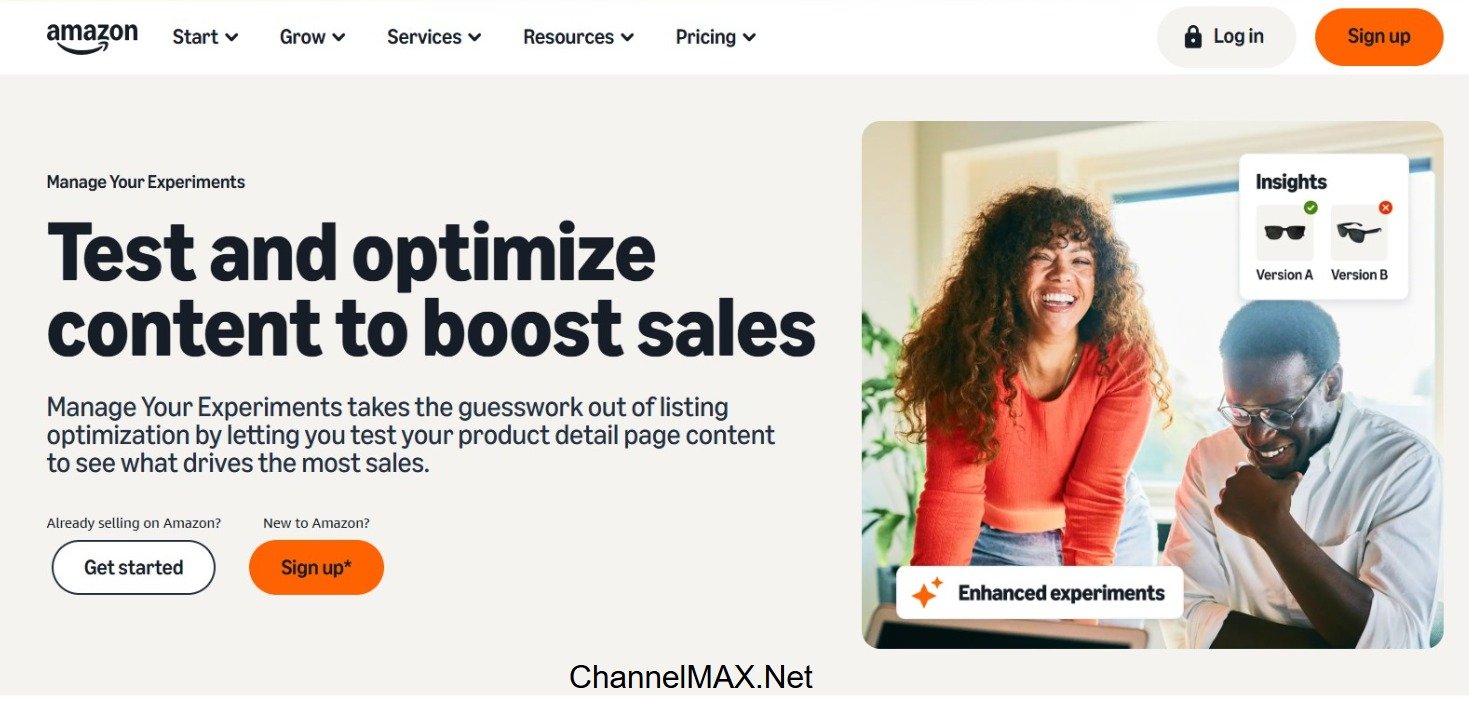
Amazon’s Manage Your Experiments tool makes it easy for Brand Registered sellers to test different versions of their listing and see which one performs better. Here is a step-by-step guide.
Step 1: Open Manage Your Experiments
Go to your Amazon Seller Central account and from the menu, go to:
Brands → Manage Your Experiments
This is the section where Amazon allows Brand Registered sellers to run controlled experiments. Here, you can choose which elements of your listing you want to test, such as:
a. Product title
b. Main image
c. Secondary images
d. A+ Content
e. Bullet points
f. Product description
Choose the element you want to run an experiment on. Starting with high-impact elements like images or titles usually gives better results.
Step 2: Select the ASIN You Want to Test
Amazon will show you a list of ASINs that qualify for A/B testing. Select the ASIN (product) where you want to run the test. Make sure the ASIN you choose meets the basic requirements:
a. Is Brand Registered: Only Brand Registered sellers can run experiments.
b. Has Enough Traffic: The listing should get enough visitors every day so the test can collect strong data to compare both versions fairly. Low-traffic listings take longer to show meaningful results.
c. Has a Stable Inventory: If your product goes out of stock during the test, the results become unreliable. Maintain stock levels so the test can run smoothly from start to finish.
If your ASIN qualifies, you can move to the next step.
Also Read: Amazon Brand Registry Program: A Smart Move for Brand Protection and Growth
Step 3: Create Two Versions (Version A and Version B)
Amazon will ask you to upload two different versions of the element you want to test.
a. Version A → Usually your current live version
b. Version B → The new version you want to try
Make sure Version B is meaningfully different. Small changes like adding a single word or changing a tiny detail may not create clear results.
Examples of meaningful changes:
a. A completely new main image with a different angle
b. A rewritten product title (with keywords placed differently)
c. A new A+ Content layout with updated visuals
d. Rearranged or rewritten bullet points (in a more benefit-focused style)
Upload both versions into the experiment tool. Make sure each version is correct, clear, and ready to publish. The bigger the difference, the easier it is to see which one performs better.
Step 4: Start the Experiment
Once both variations are uploaded, you can launch the test. After starting, Amazon will automatically:
a. Split your traffic between Version A and Version B (Some customers see Version A, others see Version B.)
b. Track customer actions like clicks, add-to-carts, and conversions
c. Measure performance for each version
d. Identify the winning version using statistical methods
Most experiments run for 4 to 10 weeks, depending on your product’s traffic. Amazon recommends letting the test run for the full duration to get accurate results.
Step 5: Review and Understand the Data Carefully
After the test ends, Amazon will show detailed insights to help you understand which version performed better. You will see data such as:
a. Conversion rate: How many shoppers bought your product
b. Traffic share: How many people saw each version
c. Estimated sales impact: How much extra revenue the winning version may bring
d. Customer engagement: How shoppers interacted with the listing
e. Confidence percentage: Shows how likely it is that one version truly performs better
This data helps you understand how your customers think, what they prefer, and why one version works better. Use these insights to understand customer behaviour and decide what improvements work best for your product.
Step 6: Apply the Winning Version and Monitor
After reviewing the results:
a. Update your listing with the winning version (title, image, or A+ Content)
b. Monitor your sales and traffic over the next few weeks
c. Note what worked well
d. Plan your next test (another image, bullet point rewrite, A+ redesign, etc.)
A/B testing is not something you do just once. It is a continuous improvement process. Each new test helps you understand your customers better and make your listing stronger over time.
Examples of Smart A/B Tests to Run
Example 1: Testing Your Product Title
You can test which title attracts more clicks and sales.
a. Version A: “Stainless Steel Water Bottle – 500ml – BPA-Free”
b. Version B: “Insulated Stainless Steel Water Bottle 500ml | BPA-Free, Leakproof”
The Version A title is simple and focuses mainly on the core features. Version B uses stronger keywords and highlights the leakproof feature, so it may perform better. A test like this helps you see which title customers like more.
Example 2: Testing Your Main Product Image
Your main image has a big impact on click-through rate. You can test:
a. Version A: Simple product-only photo on a white background
b. Version B: Product shown with accessories or included items
c. Version C: Angled close-up shot that highlights an important feature
Version A has a clean and clear image that follows Amazon guidelines. Version B helps customers see what’s inside the box, adds perceived value, and is useful for bundles or multi-piece sets. Version C highlights material quality, texture, or unique design and helps customers understand what makes your product better.
Different image styles attract different types of customers. Testing helps you understand what gets more clicks.
Example 3: Testing A+ Content Layout
A+ Content influences how customers understand your product. You can compare:
a. Version A: A layout focused on benefits and key points
b. Version B: A layout with a comparison chart plus a short brand or product story
Version A highlights how the product improves the customer’s life and is great for quick understanding. Whereas Version B helps shoppers compare your product with competing options, builds trust through storytelling, and is ideal for categories with many similar products.
Some shoppers prefer quick benefits, while others like detailed information. Testing helps you choose the style that keeps people engaged and improves conversions. These examples show simple but powerful tests that can significantly improve your sales, depending on the type of product you sell.
Best Practices for Amazon A/B Testing
1. Test Only One Element at a Time:
When running an A/B test, always change just one element—such as the main image, the title, or a bullet point. If you change multiple elements at once, you won’t know which specific change affected your results.
For example, if you change both your title and main image and see a drop in conversion, you can’t tell which one caused the problem. Testing one variable keeps your results clean, makes the results easier to understand, and helps you understand exactly what shoppers prefer. This also saves time in the long run because each test teaches you something specific about customer behavior.
2. Start With High-Impact Elements First:
Every part of your listing has a different impact on conversions. These include:
a. Main image
b. Product title
c. A+ Content
These elements influence customer decisions the most because they are the first things shoppers see and read. Testing these high-impact elements first often gives the fastest and noticeable improvements. A small change in these sections can increase CTR, trust, and add-to-cart rates more than any other part of the listing. Once these are optimized, you can move to smaller areas like bullet points, secondary images, and product descriptions for further improvement.
3. Allow the Test to Run for the Full Recommended Duration:
Amazon typically recommends running tests for a set period (often 4–10 weeks). Ending the test early—even if you see early results—may lead to wrong decisions because initial traffic can behave differently from later traffic. A full-duration test considers weekday vs. weekend behavior, various traffic ups and downs, and natural buying patterns.
Shopper behavior often changes during the test period. Running the test for the full recommended duration ensures that the results are consistent, reliable, and based on enough data. Ending early often leads sellers to pick the wrong version and lose potential conversions.
4. Ensure Your Listing Has Enough Traffic:
A/B test results are only reliable if a sufficient number of shoppers visit your listing. Low-traffic products need more time to collect enough data, while high-traffic ones produce results faster. If your ASIN has low traffic, it will take longer to gather statistically valid results. This doesn’t mean the test is failing—it simply means you need more time to complete it.
Running ads or improving SEO can help increase traffic and speed up testing, but the main goal is to collect strong, trustworthy data. More traffic helps your experiment reach meaningful statistical significance, giving clearer and more confident results.
Also Read: Proven Strategies to Increase Traffic to Your Amazon Listing
5. Follow the Data, Not Personal Preferences:
Your personal taste may not always match what Amazon shoppers want. You may like a particular image or title, but customers may respond better to a different version.
A/B testing reveals what your buyers respond to. Always choose the version that performs better, even if it wasn’t your first choice. This helps you build a listing based on customer needs, not design preferences. Data-backed decisions improve conversions, rankings, and sales more effectively.
6. Continue Testing Regularly:
A/B testing is not something you do once and forget. Amazon’s marketplace is constantly evolving—new competitors enter, trends shift, and customer expectations evolve. A listing that performs well today might not perform the same after a few months due to new competitors, shifting trends, or updated algorithms.
Regular testing helps your listing stay updated and relevant. Top sellers run tests every few months to improve their images, titles, descriptions, and A+ Content, and stay ahead of competitors and maintain strong performance.
7. Focus on Your Product’s Main Benefit in Every Variation:
Every time you create a new version for testing, clearly highlight what makes your product unique.
For example:
a. If your product is durable, your image should highlight its strength.
b. If it is lightweight, your title should reflect easy handling.
c. If it is premium quality, your A+ Content should visually show the premium features.
Shoppers often decide within seconds, so showing the biggest benefit clearly in your images or text helps them understand why your product is the best choice. A/B testing helps you see which benefit communicates more clearly and which one drives more sales. Strong benefit-focused versions often win tests because they solve customer problems more clearly.
8. Avoid Running Tests During Heavy Sale Periods:
High-sale periods like Prime Day, Black Friday, Diwali, or the Christmas season bring unusual traffic patterns. Customer behavior during these times is very different. People buy faster, compare less, and focus more on deals.
Running tests during these periods may give confusing results that do not represent normal behavior. The best tests happen during regular days, so you get consistent, predictable data.
9. Keep a Record of Each Test:
Maintaining a simple record of your tests helps you track what worked and what didn’t. Track details like:
a. What element did you test (title, image, A+ module, etc.)
b. The reason for testing
c. Results and percentage changes
d. Which version won
e. What you applied to your listing
This helps you avoid repeating the same experiments and gives you a clear roadmap of what improvements boosted performance over time.
10. Make Sure Your Variations Work Well on Mobile:
Most Amazon shoppers browse and buy using mobile phones. Before testing, check how both versions (A and B) look on a mobile screen:
a. Is the text readable?
b. Are the details visible?
c. Does the main image appear clear at first glance?
A title that looks clean on a desktop may look too long on mobile. An image that looks sharp on a computer may look crowded on a smaller screen. Mobile-friendly designs get higher CTR and conversions because shoppers understand the product faster and more clearly.
To summarize, A/B testing is one of the simplest and smartest ways to improve your Amazon listing and grow your sales. Instead of guessing what shoppers might like, you get real data that shows exactly which version performs better. Small improvements to your title, images, A+ Content, or bullet points can create a big impact on your click-through rate, conversions, ranking, and overall sales.
By testing regularly, you learn more about what your customers prefer, build a stronger listing step by step, and stay ahead of competitors who never experiment. Amazon gives you all the tools you need through Manage Your Experiments, so you can run tests easily and make confident, data-backed decisions.
Also Read: Mastering Amazon SERP Optimization: Rank Higher and Sell Smarter
Disclaimer:
Amazon is the registered trademark of the e-commerce brand.
About ChannelMAX.NET:
ChannelMAX offers Amazon Repricer that runs on the latest AI Repricing algorithm to do Amazon Pricing Management or Amazon Repricing. Based on Amazon SP API, the repricing engine or repricer runs 24/7 and efficiently manages Amazon prices to maximize your BuyBox with profit optimization. Established in 2005, ChannelMAX has been integrated with Amazon technology since 2007, helping thousands of third-party sellers on various eCommerce platforms. Some of the eCommerce platforms, aka marketplaces, supported by ChannelMAX.NET, are Amazon, Walmart, eBay, and Shopify. Some of ChannelMAX key offerings include ChannelMAX Amazon Repricer, 2ndly, ChannelMAX Amazon FBA Audits and FBA Refunds management, an offering for managing Amazon FBA Refunds Reimbursement management for lost or damaged or misplaced inventory for which Amazon is responsible and for which sellers deserve appropriate credit reimbursement from Amazon. ChannelMAX Services offer Remote (aka Virtual) Full-Time eCommerce Assistant to help 3P sellers run their daytoday business.

Check ChannelMAX at Amazon Selling Partner Appstore, an application with a 5 star rating.