Prime Day Alert: Protecting Yourself from Scams and Phishing Attempts
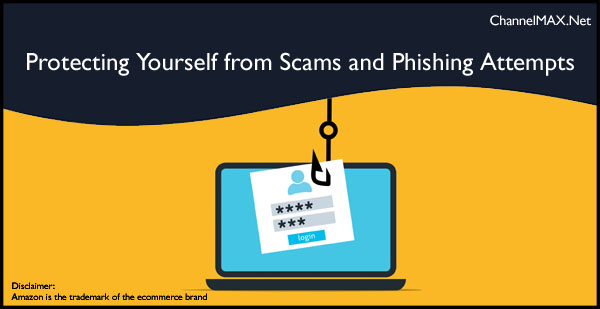
Experts Warn of Increased Cyber Threats During Amazon's Shopping Event
By ChannelMAX Staff Writer
July-2024#16
As Amazon Prime Day kicks off, experts are sounding the alarm about potential scams and phishing attempts targeting eager shoppers. This two-day discount event, running from Tuesday through Wednesday, also presents a prime opportunity for cybercriminals to exploit unsuspecting consumers.
The Better Business Bureau (BBB) reports a record number of phishing attempts in 2023, with trends indicating a further increase this year. Josh Planos, vice president of communications and public relations at the BBB, emphasized the significance of this shopping event:
"This is a huge moment on the retail calendar," Planos told The Associated Press. "And because of that, it represents an enormous opportunity for a scammer, con artist or even just an unethical business or organization to capitalize on the moment and separate folks from their hard-earned money."
The Israel-founded cybersecurity company Check Point Software Technologies reported that over 1,230 new websites associated with Amazon appeared in June alone, with the majority being malicious or suspicious.
Also Read: Free and Easy: Returning Amazon Products Just Got Simpler
Common Scams During Prime Day and How to Avoid
Amazon Prime Day is a highly anticipated event for shoppers looking for great deals, but it also attracts scammers looking to exploit the increased online activity. This report outlines the common scams to watch out for during Prime Day and provides tips on how to avoid them.
1. Phishing Scams
Phishing scams are prevalent during Prime Day, where scammers send emails or text messages that appear to be from Amazon. These messages often claim an issue with your order or account and request you to click on a malicious link to resolve the problem. These links can lead to fake websites that steal your personal and payment information.
How to Avoid:
- Do not click on links in unsolicited emails or text messages.
- Verify the sender's email address for misspellings or added characters.
- Hover over links to see where they will take you before clicking.
- Report phishing attempts to Amazon and the Federal Trade Commission (FTC).
2. Fake Websites
Scammers create websites like Amazon to trick shoppers into entering their personal and payment information. These fake websites often have slightly misspelt URLs or lack 'https'.
How to Avoid:
- Ensure the website URL starts with 'https' and contains 'Amazon.com'.
- Look for spelling or grammatical errors in the URL or on the webpage.
- Shop directly from Amazon’s official website or app.
3. Fake Product Reviews
Fake reviews are used to make products appear more appealing. These reviews can be generated using AI tools, making them seem legitimate.
How to Avoid:
- Be cautious of products with overwhelmingly positive reviews.
- Research both the product and the seller before making a purchase.
- Report fake reviews to Amazon.
4. Too Good To Be True Deals
Scammers often lure shoppers with deals significantly lower than the market rate. These deals can be for counterfeit or non-existent products.
How to Avoid:
- If a deal seems too good to be true, it probably is.
- Check the item's pricing history before purchasing.
- Avoid products with no reviews or those sold by unknown third-party sellers.
5. Fake Delivery Notifications
Scammers send fake delivery notifications via text messages, claiming an issue with your delivery. These messages prompt you to click a link leading to a malicious website.
How to Avoid:
- Keep track of your deliveries and only click on notifications from trusted sources.
- Do not click on links in unsolicited text messages.
6. Impersonation Scams
Scammers may call or email you, pretending to be Amazon representatives, claiming an issue with your Prime membership or order. They will ask for personal information or payment details to resolve the issue.
How to Avoid:
- Amazon will never ask for payment information over the phone, by text, or by email.
- Do not provide personal information or emails to unsolicited callers.
7. Malicious Ads
Scammers place malicious ads on websites and social media, which can lead to phishing sites or download malware onto your device.
How to Avoid:
- Avoid clicking on ads that seem too good to be true.
- Use ad-blocking software to reduce exposure to malicious ads.
Also Read: Amazon's AI Shopping Assistant Rufus Now Available to All U.S. Customers
Protecting Yourself from Scams
To ensure a secure shopping experience during Prime Day, consider the following tips:
1. Verify Sender Information: Be cautious of unsolicited emails or text messages claiming to be from Amazon. Verify the sender's email address for misspellings or added characters.
2. Check Website URLs: Ensure you shop on the official Amazon website. As the BBB advises, "Ensure the website URL starts with 'https' and contains 'Amazon.com'."
3. Be Wary of Unrealistic Deals: If a deal seems too good to be true, it probably is. Check the pricing history of items before purchasing.
4. Protect Personal Information: Scott Knapp, director of worldwide buyer risk prevention at Amazon, warns about hoaxes related to Prime membership and order confirmations. Remember that Amazon will never ask for payment information over the phone, by text, or by email.
5. Use Secure Payment Methods: Stick to trusted payment platforms and avoid sharing financial information through unsecured channels.
6. Stay Informed: Keep track of your orders and only respond to notifications from trusted sources.
While Prime Day offers exciting deals for shoppers, it's crucial to remain vigilant against potential scams. By following these guidelines and staying informed, consumers can enjoy the benefits of Prime Day while protecting themselves from cybercriminals.
Remember, as the BBB advises, "If a deal seems too good to be true, it probably is." Happy and safe shopping!
By ChannelMAX Staff Writer
July-2024#16
As Amazon Prime Day kicks off, experts are sounding the alarm about potential scams and phishing attempts targeting eager shoppers. This two-day discount event, running from Tuesday through Wednesday, also presents a prime opportunity for cybercriminals to exploit unsuspecting consumers.
The Better Business Bureau (BBB) reports a record number of phishing attempts in 2023, with trends indicating a further increase this year. Josh Planos, vice president of communications and public relations at the BBB, emphasized the significance of this shopping event:
"This is a huge moment on the retail calendar," Planos told The Associated Press. "And because of that, it represents an enormous opportunity for a scammer, con artist or even just an unethical business or organization to capitalize on the moment and separate folks from their hard-earned money."
The Israel-founded cybersecurity company Check Point Software Technologies reported that over 1,230 new websites associated with Amazon appeared in June alone, with the majority being malicious or suspicious.
Also Read: Free and Easy: Returning Amazon Products Just Got Simpler
Common Scams During Prime Day and How to Avoid
Amazon Prime Day is a highly anticipated event for shoppers looking for great deals, but it also attracts scammers looking to exploit the increased online activity. This report outlines the common scams to watch out for during Prime Day and provides tips on how to avoid them.
1. Phishing Scams
Phishing scams are prevalent during Prime Day, where scammers send emails or text messages that appear to be from Amazon. These messages often claim an issue with your order or account and request you to click on a malicious link to resolve the problem. These links can lead to fake websites that steal your personal and payment information.
How to Avoid:
- Do not click on links in unsolicited emails or text messages.
- Verify the sender's email address for misspellings or added characters.
- Hover over links to see where they will take you before clicking.
- Report phishing attempts to Amazon and the Federal Trade Commission (FTC).
2. Fake Websites
Scammers create websites like Amazon to trick shoppers into entering their personal and payment information. These fake websites often have slightly misspelt URLs or lack 'https'.
How to Avoid:
- Ensure the website URL starts with 'https' and contains 'Amazon.com'.
- Look for spelling or grammatical errors in the URL or on the webpage.
- Shop directly from Amazon’s official website or app.
3. Fake Product Reviews
Fake reviews are used to make products appear more appealing. These reviews can be generated using AI tools, making them seem legitimate.
How to Avoid:
- Be cautious of products with overwhelmingly positive reviews.
- Research both the product and the seller before making a purchase.
- Report fake reviews to Amazon.
4. Too Good To Be True Deals
Scammers often lure shoppers with deals significantly lower than the market rate. These deals can be for counterfeit or non-existent products.
How to Avoid:
- If a deal seems too good to be true, it probably is.
- Check the item's pricing history before purchasing.
- Avoid products with no reviews or those sold by unknown third-party sellers.
5. Fake Delivery Notifications
Scammers send fake delivery notifications via text messages, claiming an issue with your delivery. These messages prompt you to click a link leading to a malicious website.
How to Avoid:
- Keep track of your deliveries and only click on notifications from trusted sources.
- Do not click on links in unsolicited text messages.
6. Impersonation Scams
Scammers may call or email you, pretending to be Amazon representatives, claiming an issue with your Prime membership or order. They will ask for personal information or payment details to resolve the issue.
How to Avoid:
- Amazon will never ask for payment information over the phone, by text, or by email.
- Do not provide personal information or emails to unsolicited callers.
7. Malicious Ads
Scammers place malicious ads on websites and social media, which can lead to phishing sites or download malware onto your device.
How to Avoid:
- Avoid clicking on ads that seem too good to be true.
- Use ad-blocking software to reduce exposure to malicious ads.
Also Read: Amazon's AI Shopping Assistant Rufus Now Available to All U.S. Customers
Protecting Yourself from Scams
To ensure a secure shopping experience during Prime Day, consider the following tips:
1. Verify Sender Information: Be cautious of unsolicited emails or text messages claiming to be from Amazon. Verify the sender's email address for misspellings or added characters.
2. Check Website URLs: Ensure you shop on the official Amazon website. As the BBB advises, "Ensure the website URL starts with 'https' and contains 'Amazon.com'."
3. Be Wary of Unrealistic Deals: If a deal seems too good to be true, it probably is. Check the pricing history of items before purchasing.
4. Protect Personal Information: Scott Knapp, director of worldwide buyer risk prevention at Amazon, warns about hoaxes related to Prime membership and order confirmations. Remember that Amazon will never ask for payment information over the phone, by text, or by email.
5. Use Secure Payment Methods: Stick to trusted payment platforms and avoid sharing financial information through unsecured channels.
6. Stay Informed: Keep track of your orders and only respond to notifications from trusted sources.
While Prime Day offers exciting deals for shoppers, it's crucial to remain vigilant against potential scams. By following these guidelines and staying informed, consumers can enjoy the benefits of Prime Day while protecting themselves from cybercriminals.
Remember, as the BBB advises, "If a deal seems too good to be true, it probably is." Happy and safe shopping!
Follow us on Facebook, X and LinkedIn to get the latest news and updates related to online selling.
Disclaimer:
Amazon is the registered trademark of the e-commerce brand.
About ChannelMAX.NET:
ChannelMAX offers Amazon Repricer that runs on the latest AI Repricing algorithm to do Amazon Pricing Management or Amazon Repricing. Based on Amazon SP API, the repricing engine or repricer runs 24/7 and efficiently manages Amazon prices to maximize your BuyBox with profit optimization. Established in 2005, ChannelMAX has been integrated with Amazon technology since 2007, helping thousands of third-party sellers on various eCommerce platforms. Some of the eCommerce platforms, aka marketplaces, supported by ChannelMAX.NET, are Amazon, Walmart, eBay, and Shopify. Some of ChannelMAX key offerings include ChannelMAX Amazon Repricer, 2ndly, ChannelMAX Amazon FBA Audits and FBA Refunds management, an offering for managing Amazon FBA Refunds Reimbursement management for lost or damaged or misplaced inventory for which Amazon is responsible and for which sellers deserve appropriate credit reimbursement from Amazon. ChannelMAX Services offer Remote (aka Virtual) Full-Time eCommerce Assistant to help 3P sellers run their daytoday business.

Check ChannelMAX at Amazon Selling Partner Appstore, an application with a 5 star rating.
Amazon is the registered trademark of the e-commerce brand.
About ChannelMAX.NET:
ChannelMAX offers Amazon Repricer that runs on the latest AI Repricing algorithm to do Amazon Pricing Management or Amazon Repricing. Based on Amazon SP API, the repricing engine or repricer runs 24/7 and efficiently manages Amazon prices to maximize your BuyBox with profit optimization. Established in 2005, ChannelMAX has been integrated with Amazon technology since 2007, helping thousands of third-party sellers on various eCommerce platforms. Some of the eCommerce platforms, aka marketplaces, supported by ChannelMAX.NET, are Amazon, Walmart, eBay, and Shopify. Some of ChannelMAX key offerings include ChannelMAX Amazon Repricer, 2ndly, ChannelMAX Amazon FBA Audits and FBA Refunds management, an offering for managing Amazon FBA Refunds Reimbursement management for lost or damaged or misplaced inventory for which Amazon is responsible and for which sellers deserve appropriate credit reimbursement from Amazon. ChannelMAX Services offer Remote (aka Virtual) Full-Time eCommerce Assistant to help 3P sellers run their daytoday business.
Check ChannelMAX at Amazon Selling Partner Appstore, an application with a 5 star rating.